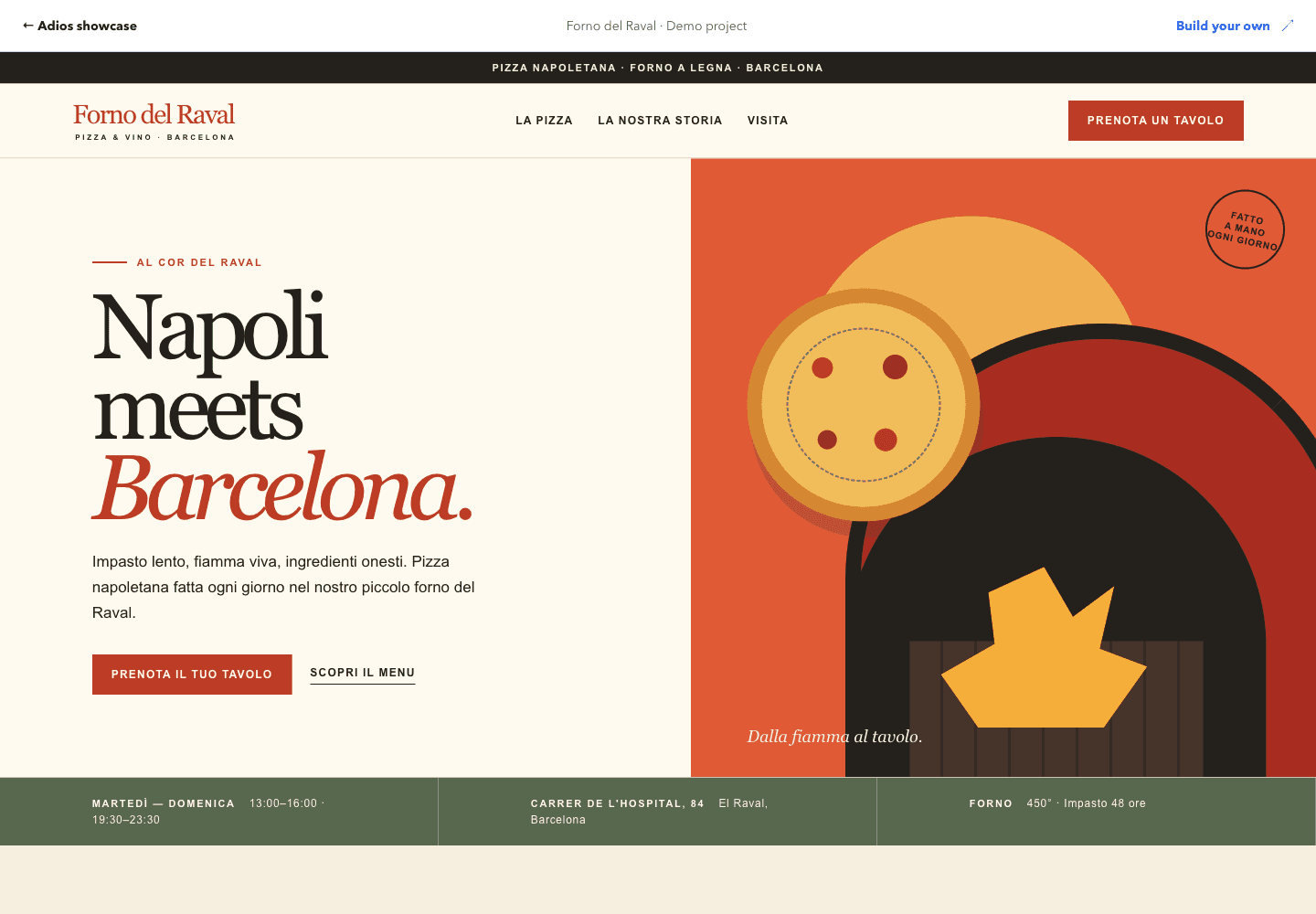
Restaurant website
Forno del Raval
A complete restaurant landing page created with Adios Create. Explore the menu, story, and visit sections.
Open the full websiteAdios Create example · Demo business

THE AI CLOUD PLATFORM FOR DEVELOPERS & FOUNDERS
Turn your idea into a working product. Build with AI, then run your apps, APIs, and databases on Adios.
Try Create or the Company Agent before signing up.
Illustrative project · Your idea sets the direction
MEET ADIOS
One place to plan your business, create your website, and build and host your app.
01 / AI AGENTS
Adios AI Agents are assistants for specific jobs, from planning a company to working on marketing, research, and product strategy.
Tell the Company Agent what you want to build, who it is for, and where you need help.
Shape your audience, offer, and priorities in a guided conversation.
Review your company blueprint and download business documents to use as your next steps.
Try a first company plan without an account.
EXAMPLE COMPANY BLUEPRINT
02 / WORKSPACE
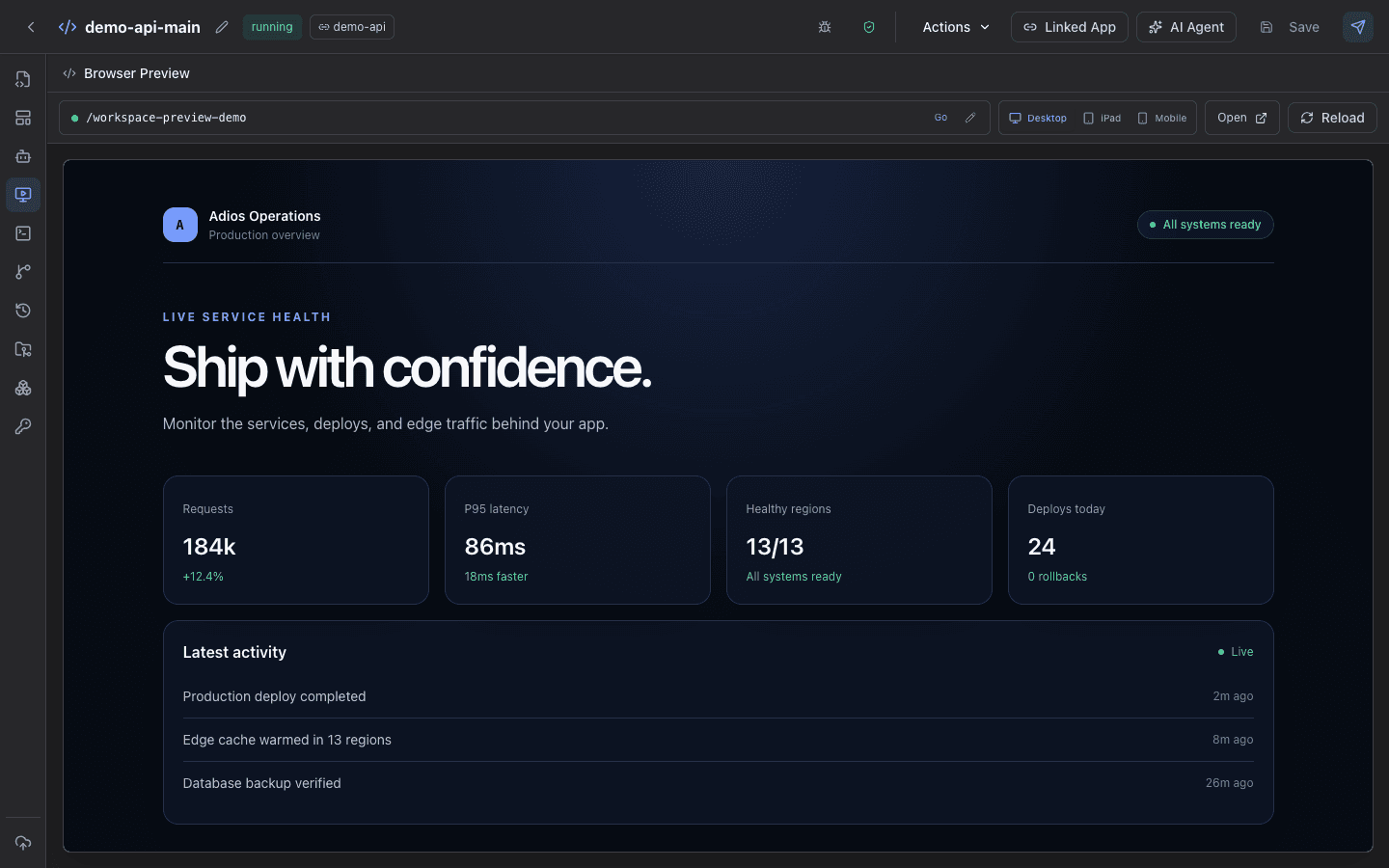
Workspace is your project’s working area in Adios. Your files, AI conversations, code editor, and app preview stay together as you build.
Import your code from a repository or start with a template for your app.
Ask AI for changes, edit files yourself, and try your app in a browser preview.
Deploy your app on Adios and connect your own domain. Keep improving it in the same workspace.
Your source code stays editable. Hosting plans are available when you are ready to go live.
03 / CREATE PROMPT
Create is Adios’s AI page builder. A prompt is simply a description of the page you want: your business, your audience, and the style you have in mind.
Try a business website, a portfolio, or a product launch page. You do not need to write code to start.
Preview the page, change the design, and refine it with more prompts.
Create an account to save your draft. Choose a hosting plan when you want to publish.
TRY YOUR FIRST PROMPT
Create an account to save your drafts and return to your work.
THE ADIOS SHOWCASE
Explore a complete website and a working app. These are Adios demo projects you can click through without an account.
Restaurant website
A complete restaurant landing page created with Adios Create. Explore the menu, story, and visit sections.
Open the full websiteAdios Create example · Demo business
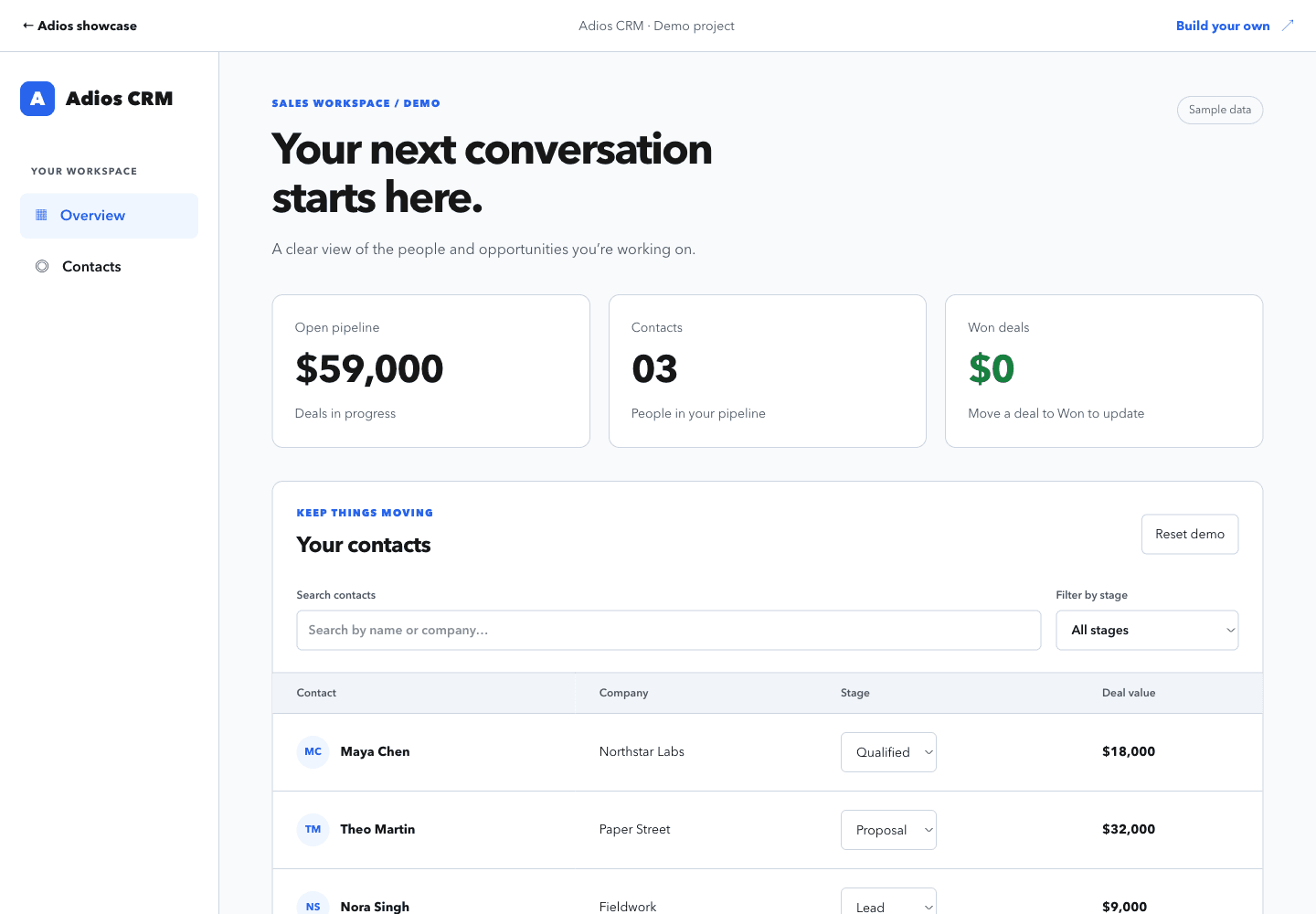
Interactive app
Search contacts, filter the sales pipeline, and move deals between stages in a working CRM demo.
Try the appAdios demo app · Sample data
FROM YOUR EDITOR TO THE CLOUD
Connect Codex to Adios through MCP. Ask it to deploy your app, approve the deployment, and Adios handles the build and hosting. Open the URL to see your app running.
codex
Adios connected via MCP
Deploy this app on Adios.
Deployment approved
Build complete
Deployment healthy
Your app is live.
https://your-app.exampleOpening browser preview…
GET TO KNOW ADIOS
Choosing a new platform is a big decision. Start with something small and inspect the result for yourself.
Have a question? Talk to us ↗Inspect your source code, download plan documents, and review what goes live.
Explore how workspaces work →THE CLOUD BEHIND YOUR PRODUCT
Web apps, APIs, databases, and background jobs. Bring your code and run the services behind your product together on Adios.
Full-stack apps · WebSockets · Long-running processes
Connect your domain. Adios manages TLS certificates and routes traffic to your app.
Domains & TLSFollow build and runtime logs, check application health, and inspect your releases.
Logs & healthConnect apps and databases through private service addresses on your network.
Private networkingManage secrets separately from source and supply them to the builds and services that need them.
Secrets & configurationCONTENT DELIVERY NETWORK
A CDN is a content delivery network. Adios can keep copies of your public pages and assets at its network edge, so repeated visits put less work on your app.
When a fresh cached response is available, Adios delivers it directly to the visitor without asking your app to generate it again.
Your app’s cache headers and route settings control which responses can be reused and for how long.
Requests that need your app continue to a healthy running copy. Eligible responses can then be cached for the next visit.
Your app handles every request.
A fresh cached copy. No trip to your app.
SECURITY ON ADIOS
Your website needs more than a place to run. Adios manages HTTPS, provides private network paths, and keeps application secrets separate from your source code.
Adios manages TLS certificates for platform addresses and verified custom domains, so visitors reach your site over HTTPS.
Reference stored secrets in your project. Adios resolves their values for the build, runtime, or workflow that needs them.
WireGuard-backed network paths let platform services communicate without exposing every internal service to the public internet.
You manage your app’s code, dependencies, and user access. See our security overview for platform controls and shared responsibilities.
Managed TLS certificates
secret://API_KEYA reference in your code. The value stored separately.
ADIOS WORKFLOWS
Call APIs, run code, move data, and pause for a decision. Connect each action in YAML and inspect every run.
Read the workflow docsStart manually, from a webhook or event, or on a schedule.
httpHTTP methods, headers, and request bodies.
request-parserExtract fields from incoming requests and events.
data-jsonSelect values from payloads and earlier steps.
bashExecute shell commands with environment variables.
pythonProcess data and run your own scripts.
sqlRead or write to PostgreSQL and MySQL.
emailSMTP, SendGrid, Postmark, Mailgun, Brevo, Mailjet, and Mailchimp Transactional.
s3Read, write, inspect, or delete S3-compatible objects.
waitPause for a human decision before continuing.
agentInvoke an agent with a pinned configuration and workspace.
FROM IDEA TO YAML
Complete manifests you can copy and adapt. Configure the endpoints and secret references for your services.
workflow_id: webhook-delivery
title: Route a webhook
enabled: true
triggers:
  - type: webhook
    event: order.created

context:
  destination_url: https://api.example.com/orders

steps:
  - step_id: parse
    kind: request-parser
    command:
      extract:
        order: .payload.order

  - step_id: order
    kind: data-json
    dependencies: [parse]
    command:
      from_step: parse
      path: .order

  - step_id: deliver
    kind: http
    dependencies: [order]
    command:
      method: POST
      url: "{{ .context.destination_url }}"
      headers:
        X-API-Key: secret://API_TOKEN
      body: "{{ .steps.order.output }}"
Setup Set your destination URL and API_TOKEN secret for the X-API-Key header. Send the sample payload with the order.created event.
Sample event payload{"order":{"id":"ord_1042","total":49,"currency":"USD"}}
Secrets where you need them. Bash and Python use a step-level env block. HTTP, SQL, email, and S3 use secret://NAME directly in command fields. See the syntax
YOUR NEXT CHAPTER STARTS HERE
Explore for free. Hosting plans from $10/month.
Hosting trial: 14 days. Card required. See plans and limits →